All your MTG cards
in one Foilio
Foilio helps you scan and organize your MTG cards across more than 700 sets. Follow prices in EUR or USD updated daily and see how your collection value changes.
 Download on the App Store
  Get it on Google Play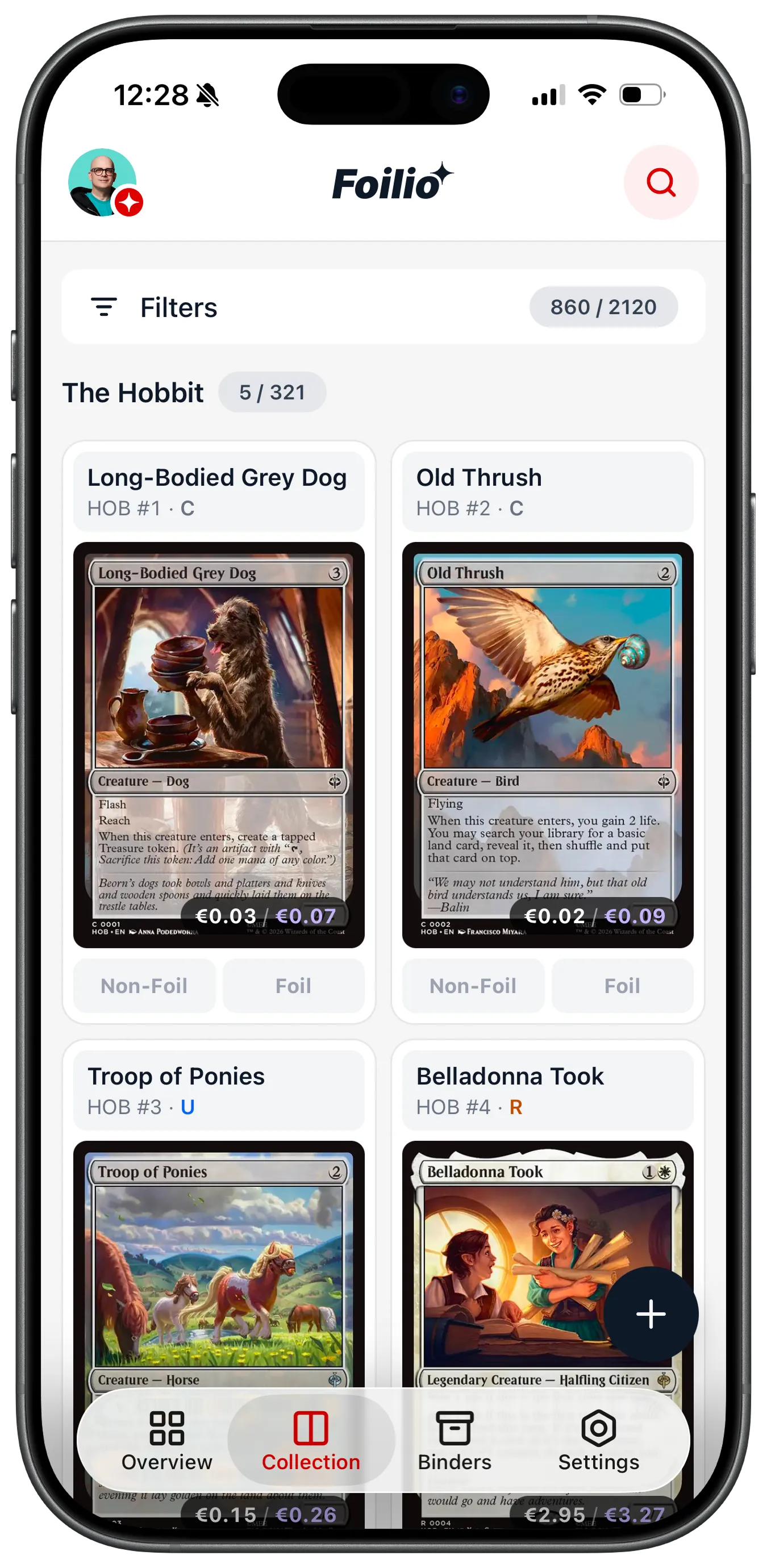
Built for collectors who mean it
Fast Card Scanning
Point your camera at a card and review the printing Foilio finds. Then add the Foil or Non-foil copy to your collection.
Collection Value Tracking
Prices from Cardmarket and TCGplayer, updated daily. Total value in EUR or USD, daily changes, and your biggest movers.
MTG Card Archive
Browse more than 100,000 unique printings across over 700 sets, from Alpha to the latest releases.
Set Completion Tracking
See exactly how many cards you still need from each set. Filter by rarity, ownership, and foil status in one tap.
Foil & Non-foil
Track foil and non-foil copies separately. Cardmarket and TCGplayer prices for each variant, always side by side.
Marketplace Links
Open any card to see its details and follow direct links to current offers on Cardmarket and TCGplayer.
Graded Slabs
Record cards assessed by PSA, BGS, CGC and other grading companies. Add the grade, certificate number and your own value for each slab.
Every Card Version
Browse borderless, extended art, showcase and promotional versions across sets, each with its own available price.
Export Your Collection
Export the whole collection, one binder or your current filtered view as an Excel sheet, a deck list or a JSON file.
Make Foilio yours
Personalize the app icon to match your home screen and your taste. Choose from more than 40 designs with gradients, bold colors, soft pastels and other styles.
 Teal
Teal  Lavender
  Navy
Navy  Foil
Foil  Rose
Rose  Emerald
  Rust
Rust  Default
  Dark
Dark  Emerald
 Available in the Foilio app, under Settings then App Icon
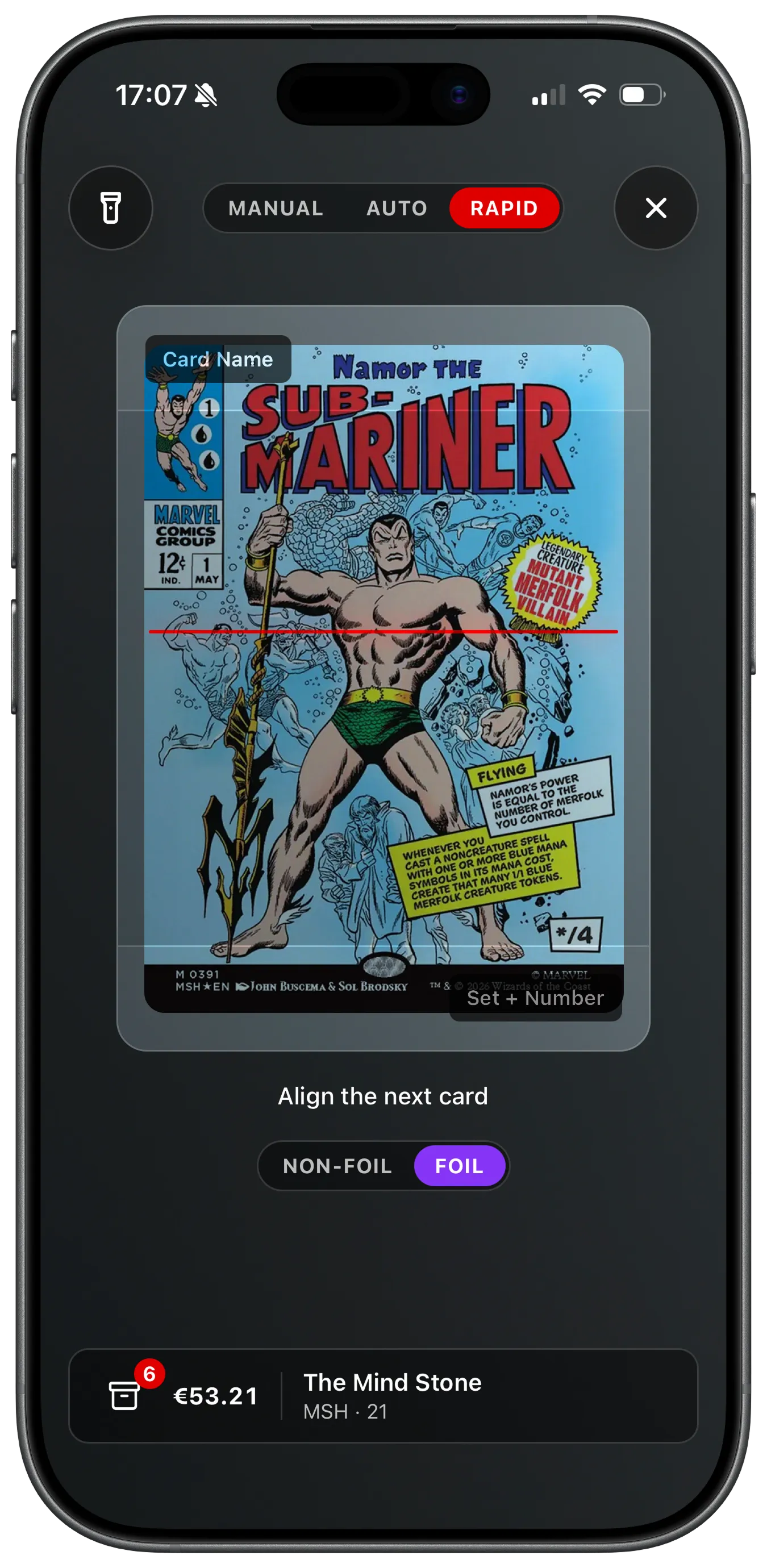
Quickly scan cards into your collection
Point your camera at a Magic card and review the printing Foilio finds. Then add the Non-foil or Foil copy and continue with the next card.
- Fast card recognition with a confirmation step
- Add Non-foil & Foil separately
- Scan as many cards as you want in one session
Your entire collection, always at hand
Browse the card catalog and your owned cards in one clear grid. Filter by rarity, set or ownership and follow your progress in the sets you care about.
- 100,000+ unique prints across 700+ sets
- Filter by rarity, set, and ownership
- Foil and Non-foil tracked separately
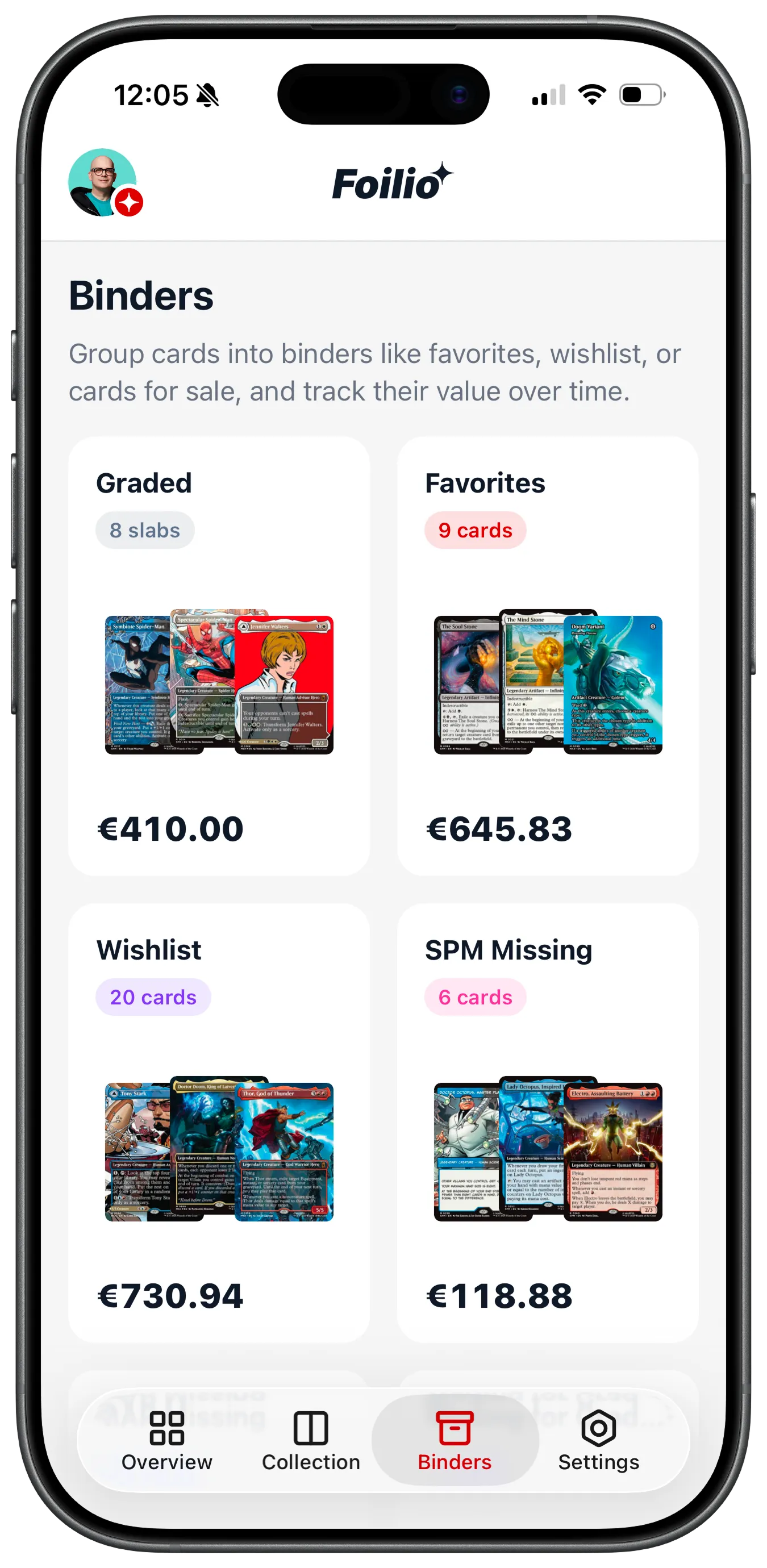
Binders, wishlists, and graded slabs
Group cards into binders that match how you collect: favorites, a trade list, cards for sale. Every binder tracks its own value over time, wishlist binders price what you're still missing, and graded slabs get a binder of their own.
- Custom binders with their own value history chart
- Wishlist binders price the cards you still need
- PSA, BGS, CGC and other graded slabs tracked separately
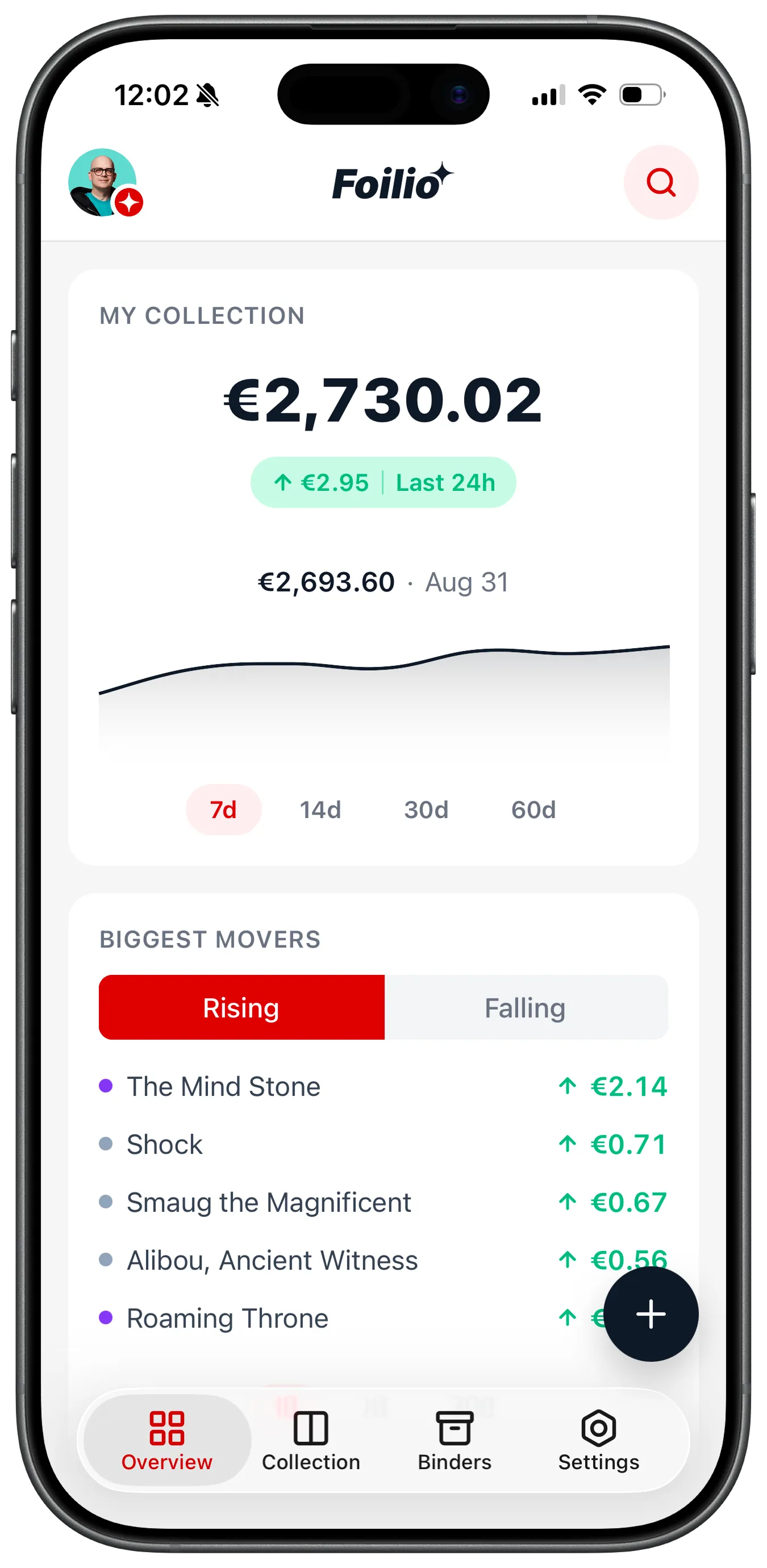
Always know your collection's value
Your dashboard shows total collection value in EUR or USD, updated daily from Cardmarket and TCGplayer. See which cards gained or lost the most since yesterday.
- Total value in EUR and USD
- Daily price updates from Cardmarket and TCGplayer
- Biggest movers at a glance
Card details and marketplace offers
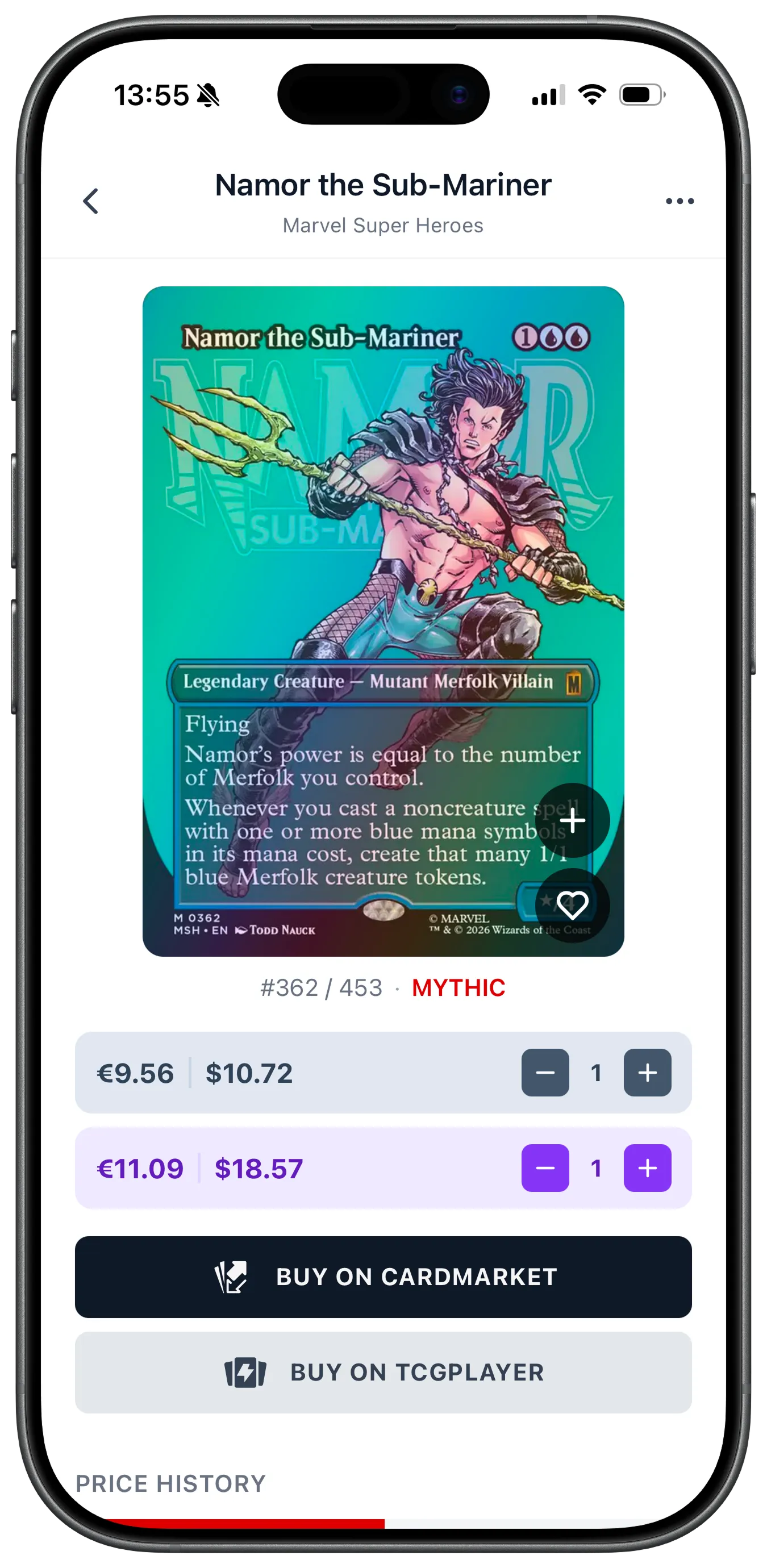
Open any card to see its details and prices from Cardmarket and TCGplayer, updated daily. Compare Non-foil and Foil prices, then follow a link to current marketplace offers.
- Daily price updates from Cardmarket and TCGplayer
- Direct buy links to both marketplaces
- Non-foil and Foil pricing side by side
From the Foilio blog
All articlesGaea's Cradle: Why Is This Land So Expensive?
Gaea's Cradle combines explosive creature-based mana, Commander demand, and a fixed supply. Learn which versions exist and what affects their value.
What's New in Foilio 1.5.0: Your Overview, Your Way
Foilio 1.5.0 brings a customizable Overview, optional price alerts, local card shops, four new languages, sound effects, and a faster start.
How to Identify an MTG Card's Set and Printing
Use the set symbol, collector number, frame, language, and finish to identify the exact printing of a Magic card before cataloging or pricing it.
Frequently asked questions
Yes. Foilio is free to download and use. You can add an unlimited number of cards, follow the value of your collection and keep an overview of your sets without paying a fee.
Foilio is available for iPhone and iPad from the App Store and for Android from Google Play. Sign in with the same account to access your collection on your other devices.
You can scan a card, find it in the Collection tab or import a supported collection file. Check that you have the right printing before you add it. Foil and Non-foil copies are tracked separately and you can set the quantity of each.
Foilio covers more than 700 sets and over 100,000 unique printings, from the earliest releases to recent sets. This includes Universes Beyond, Commander products, promotional cards and Secret Lair drops. You choose which sets appear in your overview.
Yes. Record a slab with its grading company, grade, finish, certificate number and a value you assign. Graded copies stay separate from raw cards, appear in their own binder and count toward the collection total.
Yes. Your collection is stored in the cloud and synchronizes across devices where you use the same account. Sign in on a new phone or tablet to access it there.
Yes. You can export an Excel spreadsheet with quantities and prices, a text deck list or a JSON file. Export your whole collection, one binder or the cards in your current filtered view. An export is a snapshot of the included card records at that time.
Open Settings in the app, choose Support and complete the form. You can also email hello@foilio.cards. If you are reporting a problem, include your device model and describe what happened.
You can delete your Foilio account in the app. Open Settings, find the Account section and tap Delete Account. Confirm the action to delete the account. This cannot be undone. If you need help with data associated with your account, contact hello@foilio.cards.
Start tracking your collection.
Keep your cards organized and follow their value over time.