The Best MTG Card Scanner Apps in 2026
By Foilio Team
In this article
- The Short Answer
- MTG Card Scanner Comparison
- A Card Name Is Not an Exact Printing
- How We Evaluated Scanner Apps
- Foilio: Best Balanced Scanner for Collectors
- Delver Lens: Best Scanner-First Choice for Android
- ManaBox: Best Scanner Inside an All-Round MTG App
- TCGplayer: Best for Free US Price Checks
- Dragon Shield Card Manager: Best for Multilingual Card Management
- Scrytics: Best New Offline-First Option for iPhone
- How to Test a Scanner Before Committing
- How to Scan MTG Cards Faster
- Which MTG Scanner Should You Choose?
- Frequently Asked Questions
The best MTG card scanner is not necessarily the app that recognizes one easy card in the fewest seconds. A useful scanner gets you from a physical stack to a trustworthy inventory: capture the card, confirm the exact printing, correct mistakes, set the finish and language, then save or export the result without breaking your rhythm.
This guide compares six current options using information available on October 2, 2026. Foilio is our app, so we disclose that relationship rather than presenting this as an anonymous review. The other product details come from their official documentation and store listings.
The Short Answer
- Foilio is the best balanced choice for completely free, unrestricted scanning directly into a printing-level MTG collection, with results reviewed before they are saved.
- Delver Lens is the strongest scanner-first option for Android users who also need flexible exports.
- ManaBox is best when scanning should feed a broader app for collections, decks, trades, and rules.
- TCGplayer is useful for free scanning, US market prices, and collections that include several trading card games.
- Dragon Shield Card Manager combines scanning with collection, deck, and trade tools, including support for cards in multiple languages.
- Scrytics is an interesting iPhone option for an offline-first, continuous scanning workflow.
MTG Card Scanner Comparison
| App | Best for | Platforms | Review workflow | Important limitation |
|---|---|---|---|---|
| Foilio | Exact-printing MTG inventory | iPhone, iPad, Android | Scan queue with printing confirmation | Focused on collecting rather than deck building |
| Delver Lens | Fast capture and exports | Android; beta iOS and PC | Scanner-first lists and corrections | Mature store release is Android-first |
| ManaBox | Scanning inside an all-round MTG app | iPhone, iPad, Android | Session review, strict mode, set lock | More features and complexity than a collection-only app |
| TCGplayer | US prices and several card games | iPhone, iPad, Android | Rapid one-card capture into lists | Same-art printings can be confused |
| Dragon Shield | Collection, decks, and trades together | iPhone, iPad, Android | Scan into folders and lists | Verify its workflow with your difficult printings first |
| Scrytics | Offline continuous scanning on iPhone | iPhone, iPad | Continuous capture and on-device recognition | Newer product; unlimited scanning requires Pro |
Features, limits, and subscriptions change. Test the current release with your own cards before moving an entire collection.
A Card Name Is Not an Exact Printing
Camera recognition often starts with the artwork. That is enough to find the card name, but not always enough to determine the copy in your hand. The same artwork can appear in several sets, and a single set can contain regular, borderless, showcase, extended-art, promo, Foil, and Non-foil versions.
This is not a theoretical edge case. ManaBox explains that its scanner recognizes artwork and may therefore confuse printings that reuse it. TCGplayer documents the same limitation. A responsible scanning workflow must make it easy to inspect and correct:
- set name and set symbol;
- collector number;
- artwork or frame treatment;
- Foil or Non-foil finish;
- language and condition.
For a valuable card, compare the app result with the collector number printed at the bottom of the card. Our guide to identifying an exact MTG printing covers the clues that a camera match can miss.
How We Evaluated Scanner Apps
Total time, not recognition time
A fast recognition animation is only one part of the job. Real throughput includes positioning the card, waiting for a match, correcting the version, setting quantity and finish, and recovering from an error. An app that saves two seconds on recognition but creates five minutes of cleanup after a hundred cards is not faster.
Batch review
When scanning a box, it helps to keep results in a session or queue and review them together. This separates the physical work of feeding cards to the camera from the slower decisions about ambiguous versions.
Correction controls
The best scanner does not pretend to be infallible. It exposes alternatives and lets you change the set, language, condition, finish, or quantity without discarding the scan.
Export and ownership
A scanning session creates valuable structured data. CSV, spreadsheet, text, or JSON export makes that work reusable for backups, marketplaces, deck sites, insurance, or migration to another tracker.
Foilio: Best Balanced Scanner for Collectors
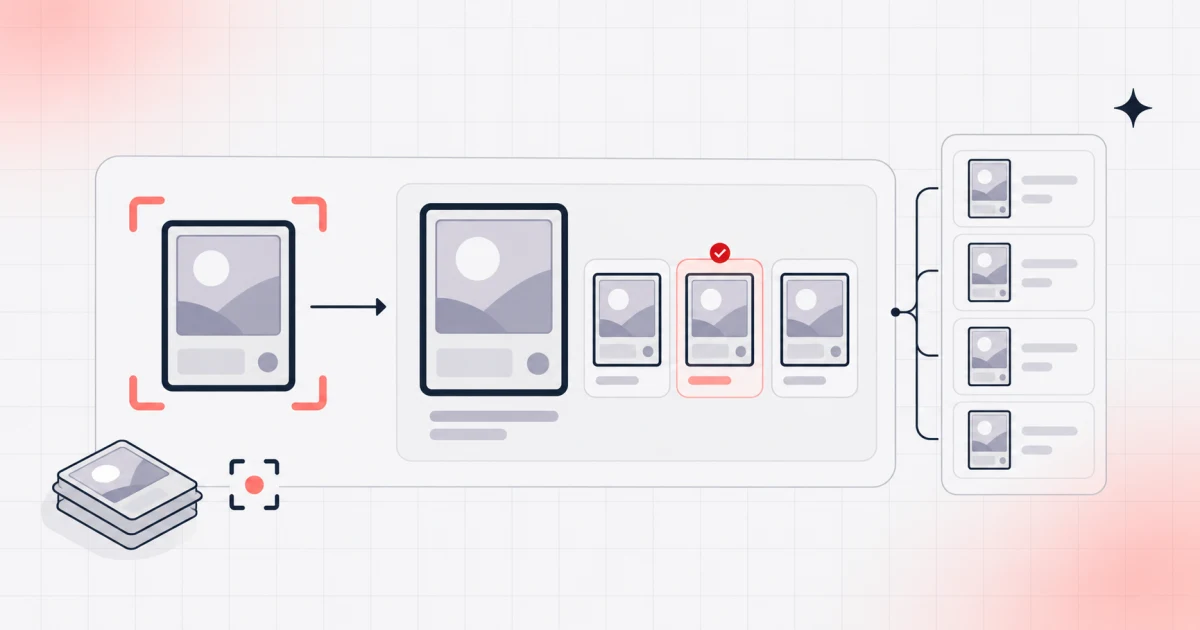
Foilio is built for collectors who care about the exact copy they own. Its Rapid Scanner can collect results into a queue, show the proposed printing, and let you review the batch before adding it to the collection. This is particularly useful when several cards share artwork or when a stack contains mixed finishes.
Foil and Non-foil quantities remain separate. Borderless, showcase, extended-art, and promotional versions have distinct records when available. Once scanned, cards can be assigned to custom binders and tracked with TCGplayer prices in USD or Cardmarket prices in EUR. The database covers more than 100,000 printings across over 700 sets, and exports are available in Excel, deck-list, and JSON formats.
Foilio is currently completely free, with no paid tier, scan quota, feature restriction, or collection-size limit. The Rapid Scanner and its batch-review workflow are not paywalled.
Choose Foilio if: you want scanning to end in a clean, printing-level MTG inventory with binders and collection value.
Look elsewhere if: deck construction, playtesting, or trading tools are more important than the collection itself.
Delver Lens: Best Scanner-First Choice for Android
Delver Lens puts scanning at the center of the product. Its official feature set emphasizes fast capture, collection lists, statistics, price history, and flexible exports. That makes it a strong option for turning boxes of cards into data that will later move to another service.
The app has a mature Android history, while iOS and PC are listed as beta platforms. Its documentation also gives practical scanning advice: avoid glare and shadows, use good light, and place cards against a contrasting background. Those details often improve speed more than switching apps.
Choose Delver Lens if: you use Android, have a large backlog to capture, and care about export presets.
Look elsewhere if: you need the same established store experience on both Android and iPhone.
ManaBox: Best Scanner Inside an All-Round MTG App
ManaBox combines scanning with collection management, deck building, simulation, trades, card search, rules, and prices from multiple markets. Its scanner guide describes two useful approaches: Quick Mode automatically selects the first matching version, while the stricter workflow asks for confirmation.
After a scan, users can edit the set, language, condition, purchase price, alterations, and misprint status. A set lock is useful when opening or cataloging cards from one release because it narrows the possible matches. The session can then be reviewed before the cards are committed.
Choose ManaBox if: scanned cards should immediately connect to decks, trades, rules, and the rest of an MTG toolkit.
Look elsewhere if: you want a quieter inventory workflow with fewer surrounding systems.
TCGplayer: Best for Free US Price Checks
The free TCGplayer app runs on iOS and Android and scans the games sold through its marketplace. It can add cards to lists, display TCGplayer prices, record details such as condition, language, printing, and Foil status, and export plain text or CSV.
Its strongest use case is identifying and pricing cards in a US marketplace workflow. TCGplayer says cards can be scanned rapidly one at a time and that sleeved or binder-page cards can work, although glare may interfere. It also warns that reused artwork can produce the wrong printing, so every valuable match needs verification.
Choose TCGplayer if: you want a free scanner tied closely to US prices or you collect more than MTG.
Look elsewhere if: you need deep binders, set completion, graded-card records, or a dedicated long-term inventory.
Dragon Shield Card Manager: Best for Multilingual Card Management
The Dragon Shield MTG Card Manager for Android also has an iPhone and iPad edition. Its official listings describe scanning cards in multiple languages, translating card information, checking TCGplayer and Cardmarket prices, organizing collection folders, exporting CSV or text, building decks, and preparing trades.
That breadth makes it attractive for players whose physical collection, decks, and trading activity overlap. As with every art-based scanner, test several repeated-art and special-treatment cards before relying on the first result.
Choose Dragon Shield if: multilingual scanning and deck or trade tools belong in the same app.
Look elsewhere if: your priority is a narrowly focused scanning queue or a particular export integration.
Scrytics: Best New Offline-First Option for iPhone
Scrytics positions itself as an iOS scanner with on-device recognition, continuous scan mode, offline operation, more than 100,000 printings, and support for ten languages. Those are the developer’s published claims rather than measurements from our own test, but the combination is notable for users who scan away from reliable internet access.
The free version provides an entry point, while the one-time Pro purchase unlocks unlimited daily scans and advanced analytics according to the official site. Because it is newer than the established tools above, test recognition, correction, backup, and export behavior before making it the only copy of your inventory.
Choose Scrytics if: you use an iPhone and want continuous, on-device scanning with offline operation.
Look elsewhere if: cross-platform access or a longer product track record is essential.
How to Test a Scanner Before Committing
Build a twenty-card test stack that is intentionally difficult:
- Two cards whose artwork was reused in different sets.
- A Foil and Non-foil copy of the same printing.
- A borderless, showcase, extended-art, or retro-frame card.
- A promo and a token.
- A foreign-language card.
- A sleeved card with a reflective surface.
- A double-faced card.
- Several identical copies in a row.
Measure the whole process from camera to corrected, exported inventory. Check whether the export preserves set code, collector number, finish, language, condition, and quantity. This small trial is more useful than an app-store rating because it tests your actual failure cases.
How to Scan MTG Cards Faster
- Use bright, even light from the sides instead of a lamp reflected directly above the card.
- Choose a plain, matte background that contrasts with the card border.
- Remove glossy sleeves when glare repeatedly blocks recognition.
- Sort by set first and use a set lock when the app supports it.
- Scan into a session, then review ambiguous printings together.
- Keep Foil and Non-foil cards in separate piles.
- Export a small batch before scanning the next thousand cards.
For a full workstation setup and repeatable process, follow our guide to scanning MTG cards faster.
Which MTG Scanner Should You Choose?
Choose Foilio for a balanced scanner-to-collection workflow with exact-printing review. Choose Delver Lens for Android-first scanning and exports, ManaBox for a broad MTG toolkit, TCGplayer for free US marketplace pricing, Dragon Shield for multilingual collection and deck tools, or Scrytics for an offline-first iPhone workflow.
If scanning is only one part of your decision, see our broader comparison of the best MTG collection tracker apps. If you prefer to own a portable backup, our MTG collection spreadsheet template shows which fields to preserve.
Frequently Asked Questions
What is the fastest MTG card scanner app?
There is no universal winner because lighting, camera, sleeves, language, and the cards themselves change the result. Delver Lens is scanner-first, ManaBox offers Quick Mode and set locking, Foilio supports queued review, and Scrytics advertises continuous on-device scanning. Test total time through correction and export, not recognition alone.
Can a scanner identify the exact MTG printing?
Sometimes, but reused artwork makes perfect identification impossible from the illustration alone. Confirm the set, collector number, finish, language, and treatment before saving valuable cards.
Can MTG scanner apps detect Foil cards?
Some apps let you assign or correct Foil status, but glare and lighting make automatic finish detection unreliable. Keep Foil and Non-foil cards separated and verify the saved finish.
Can I scan cards through sleeves or binder pages?
Often yes, but reflections reduce recognition accuracy. TCGplayer specifically notes that sleeved and binder-page scanning can work if glare is controlled. A matte background and soft side lighting help.
Is there a free MTG card scanner?
Foilio is completely free with no scanner, feature, or collection-size limits at the time of publication. TCGplayer is also free, while ManaBox, Delver Lens, Dragon Shield, and Scrytics offer free entry points whose limits, advertisements, cloud features, or export access may vary. Verify the current tier before starting a large project.
Product features were checked against official documentation and public product pages on October 2, 2026. They may change after publication.
 Download on the App Store
  Get it on Google Play